I Built a CLI to Check My GitHub Pending Stuff: ghpending
After my AI marathon, I’m sitting on dozens of public GitHub repos to look after. A bunch of them have contributors filing issues and sending pull requests. The problem is, opening a browser, walking into each repo, checking whether anything new is waiting, becomes a chore I end up dodging. And when I dodge it, I go weeks without responding to collaborators.
I know there are plenty of tools that solve this. But I wanted something dead simple and fast to run in the terminal so I can see pending work across all my projects at once. So I built it: ghpending.
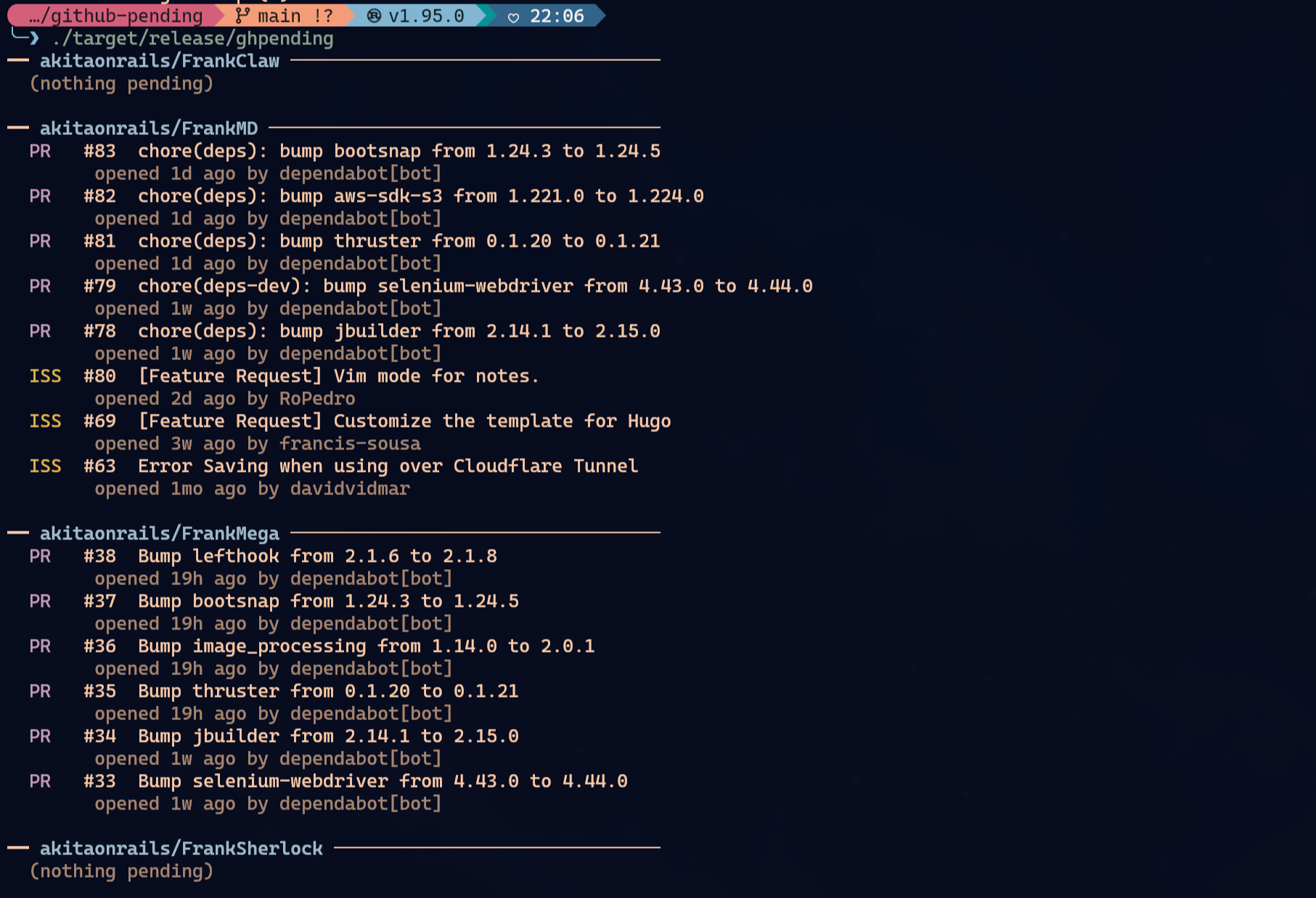
Runs on Linux and macOS. I tested on Linux (Arch + Omarchy) but haven’t run it on macOS yet. If you try it there and hit a bug, file an issue at github.com/akitaonrails/ghpending/issues.
Install
Three paths, pick whichever fits your setup.
Via Homebrew (macOS or Linux):
brew tap akitaonrails/tap && brew install ghpendingVia Cargo:
cargo install ghpendingVia mise:
mise use -g github:akitaonrails/ghpendingUpgrading
# Homebrew
brew upgrade ghpending

# Cargo
cargo install ghpending --force

# mise
mise upgrade ghpending

# From source
cd ghpending && git pull && cargo install --path .
Usage
Four commands. The normal flow is to run ghpending add once to set up which repos you want to track, then just ghpending whenever you want to see the digest.
ghpending add    # pick repos from a GitHub user or org to track
ghpending        # print the digest of open issues and PRs
ghpending list   # show tracked repos
ghpending rm     # remove repos from tracking via interactive menu
add asks for a user or organization, lists their public repos, and lets you check off the ones you want to follow. The username gets saved, so re-running add skips that prompt.
The main command (ghpending with no args) fetches every tracked repo concurrently and prints the table with open issues and PRs.
GitHub token (optional)
It works without auth, but GitHub caps anonymous traffic at 60 requests per hour. To raise that ceiling to 5,000 req/h, export a token:
GITHUB_TOKEN=$(gh auth token) ghpendingIt’s read silently at startup, no config needed.
Where the config lives
- Linux:
~/.config/ghpending/config.toml - macOS:
~/Library/Application Support/ghpending/config.toml
You can edit it directly if you want to reorder repos or change the user. Shape:
user = "akitaonrails"
repos = ["akitaonrails/ai-memory", "akitaonrails/ai-jail"]
Why this CLI exists
The honest answer: tools I build for myself, I use. Tools written by other people always come with some friction (web login, a different architectural opinion, a feature I wanted missing or one I didn’t want included). Since the goal was to reduce the friction of checking 30 repos a week, 200 lines of Rust on a Saturday afternoon beat learning a new stack.
Now I’m hoping I can respond to contributors faster. If you find it useful, it’s MIT licensed, PRs are welcome.